




 TrueNAS CORE
 TrueNAS Enterprise
 TrueNAS SCALE
 TrueCommand
 Compare Editions
 Software Status
 FreeNAS
 Systems Overview
 M-Series
 X-Series
 R-Series
 Mini Series
 Download TrueNAS CORE
 Download TrueNAS SCALE
 Get TrueNAS Enterprise
1 minute read.
Last Modified 2022-09-15 14:44 -0400General Options
| Name | Description |
|---|---|
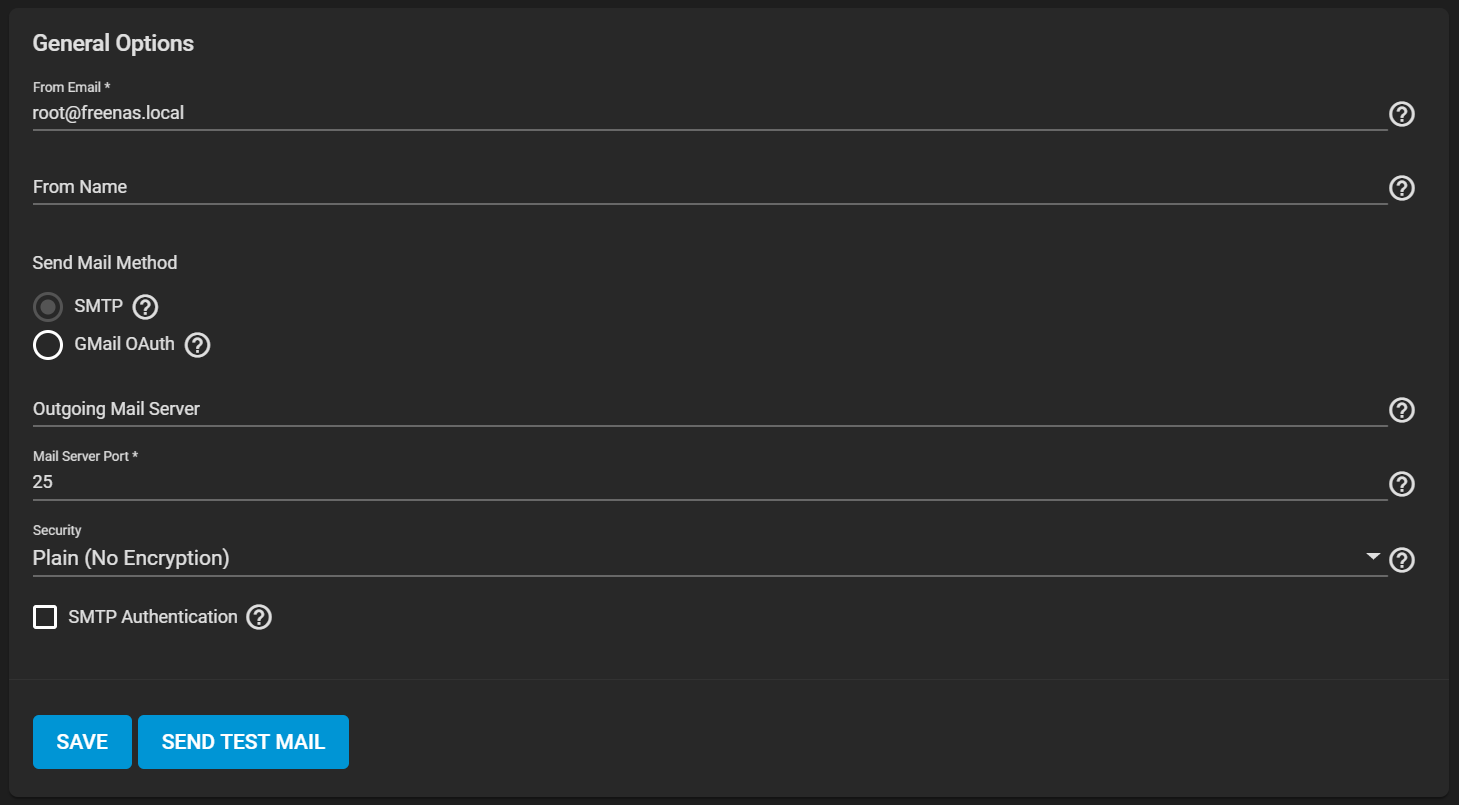
| From Email | The user account Email address for the From email address. You must configure the user account Email in Accounts > Users first. |
| From Name | The friendly name to show in front of the sending email address. Example: Storage System 01it@example.com |
Send Mail Method
| Name | Description |
|---|---|
| SMTP | Shows SMTP configuration options. |
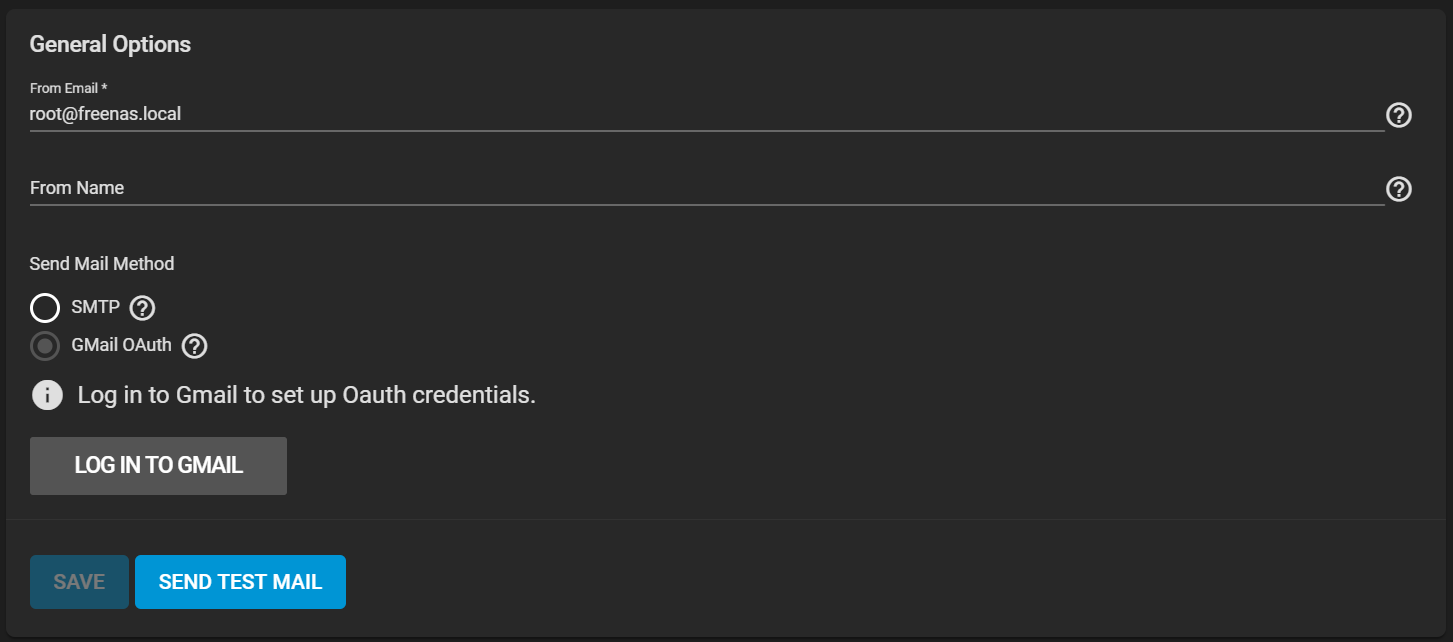
| GMail OAuth | Shows GMail authentication options. |
| Name | Description |
|---|---|
| Outgoing Mail Server | Hostname or IP address of SMTP server used for sending email. |
| Mail Server Port | SMTP port number. Typically 25/465 (secure SMTP), or 587 (submission). |
| Security | Choose an encryption type. Choices are Plain (No Encryption), SSL (Implicit TLS), or TLS (STARTTLS). |
| SMTP Authentication | Set when the SMTP server uses authentication credentials. Shows additional credentials options. |
| Name | Description |
|---|---|
| LOG IN TO GMAIL | Login to Gmail using OAuth. |